How to Request a Quote on Superior Seating

Whether you’re opening your first restaurant, furnishing a new hospitality space, or simply trying to better understand how the quote process works, we’re here to make it easy.
Every company has its own way of handling custom orders, large purchases, shipping, and delivery timelines. Because of that, requesting a quote can sometimes feel confusing. At Superior Seating, our goal is to make the process simple, clear, and helpful from the very first step.
Requesting a quote allows our team to review your order details, confirm important information, and provide you with the best possible offer before you move forward with checkout.
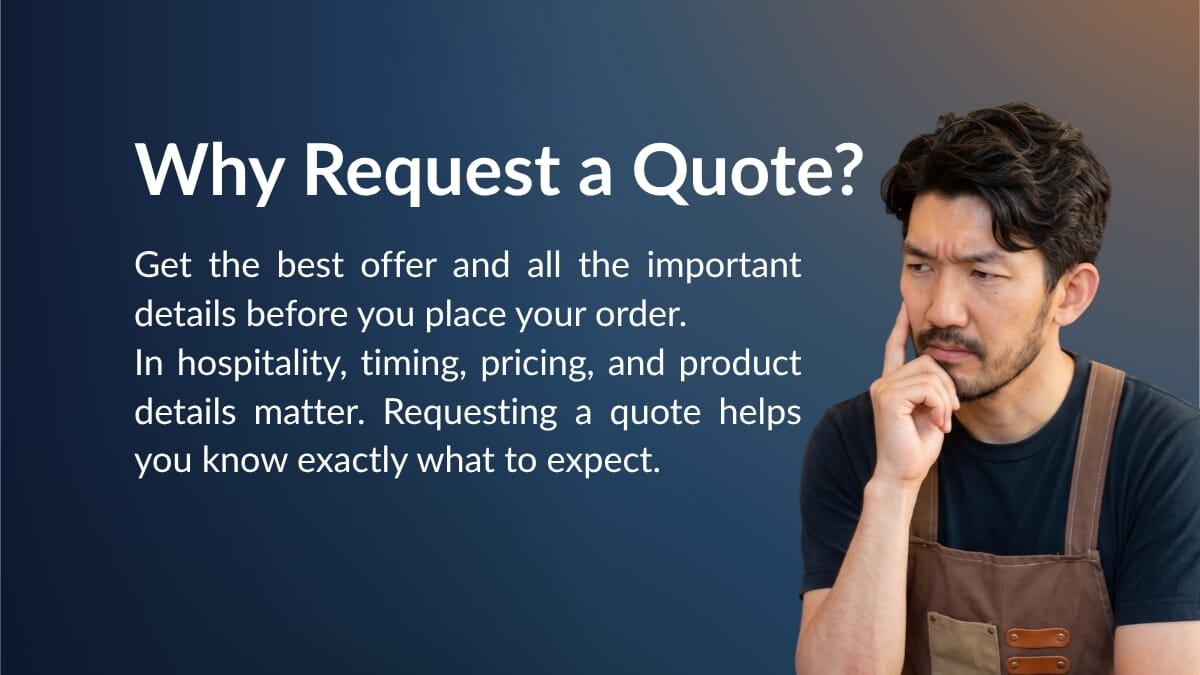
Why Request a Quote Instead of Ordering Right Away?
For many products, placing an order online is quick and straightforward. However, in the hospitality industry, some orders need a little extra attention before they are finalized.
Requesting a quote is especially helpful when your order includes larger quantities, commercial furniture, customized products, specific delivery requirements, or time-sensitive project needs.
By submitting a quote request first, you allow our sales team to review your order and make sure the pricing, shipping, delivery method, and timeline are all aligned with your project. This helps you avoid surprises and gives you a clear understanding of what to expect before completing your purchase.
- Get the best possible offer for your order.
- Confirm product availability and lead times.
- Review shipping options for your commercial address.
- Share special requests or project details with our team.
- Make sure everything is correct before checking out.
How to Request a Quote
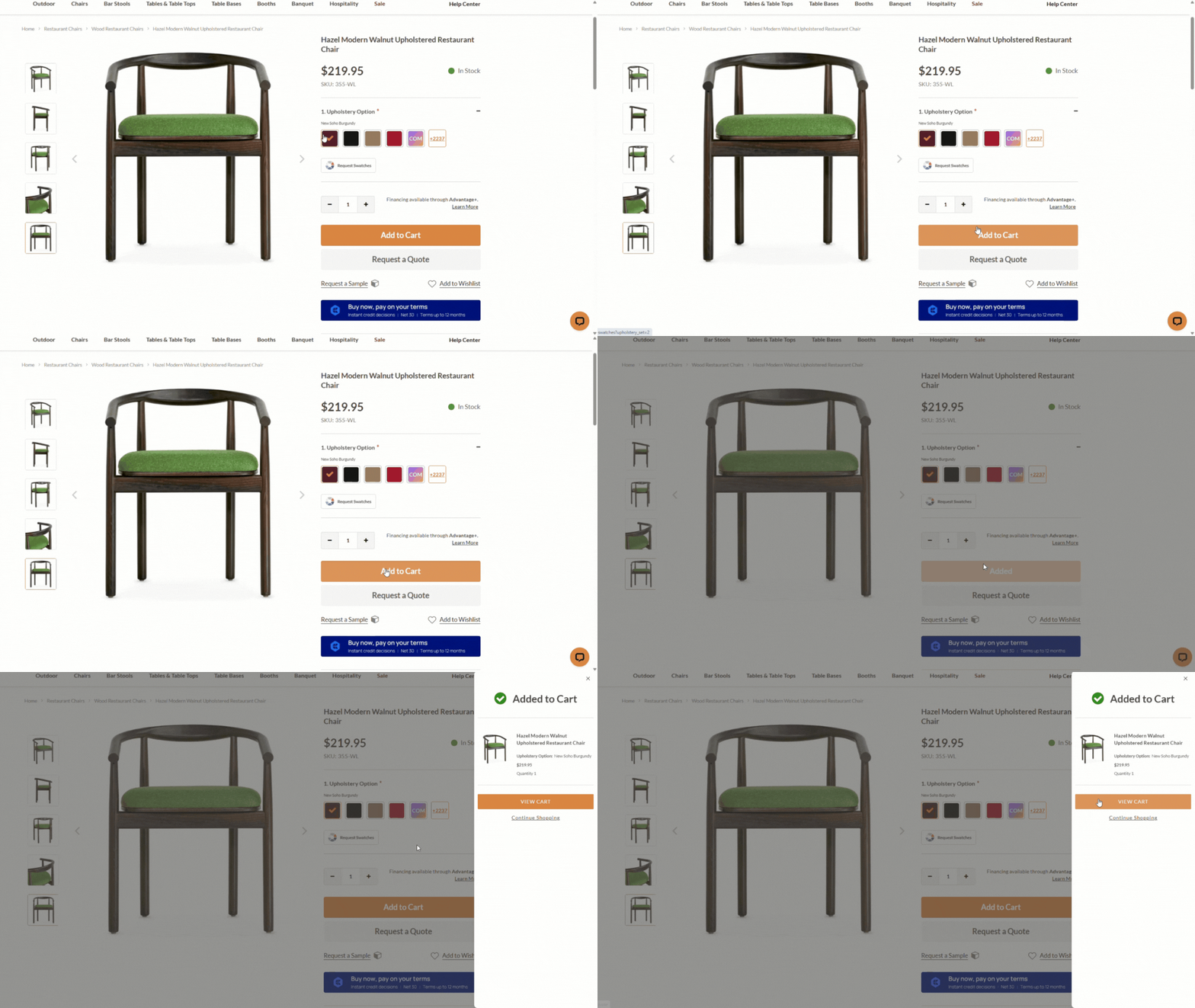
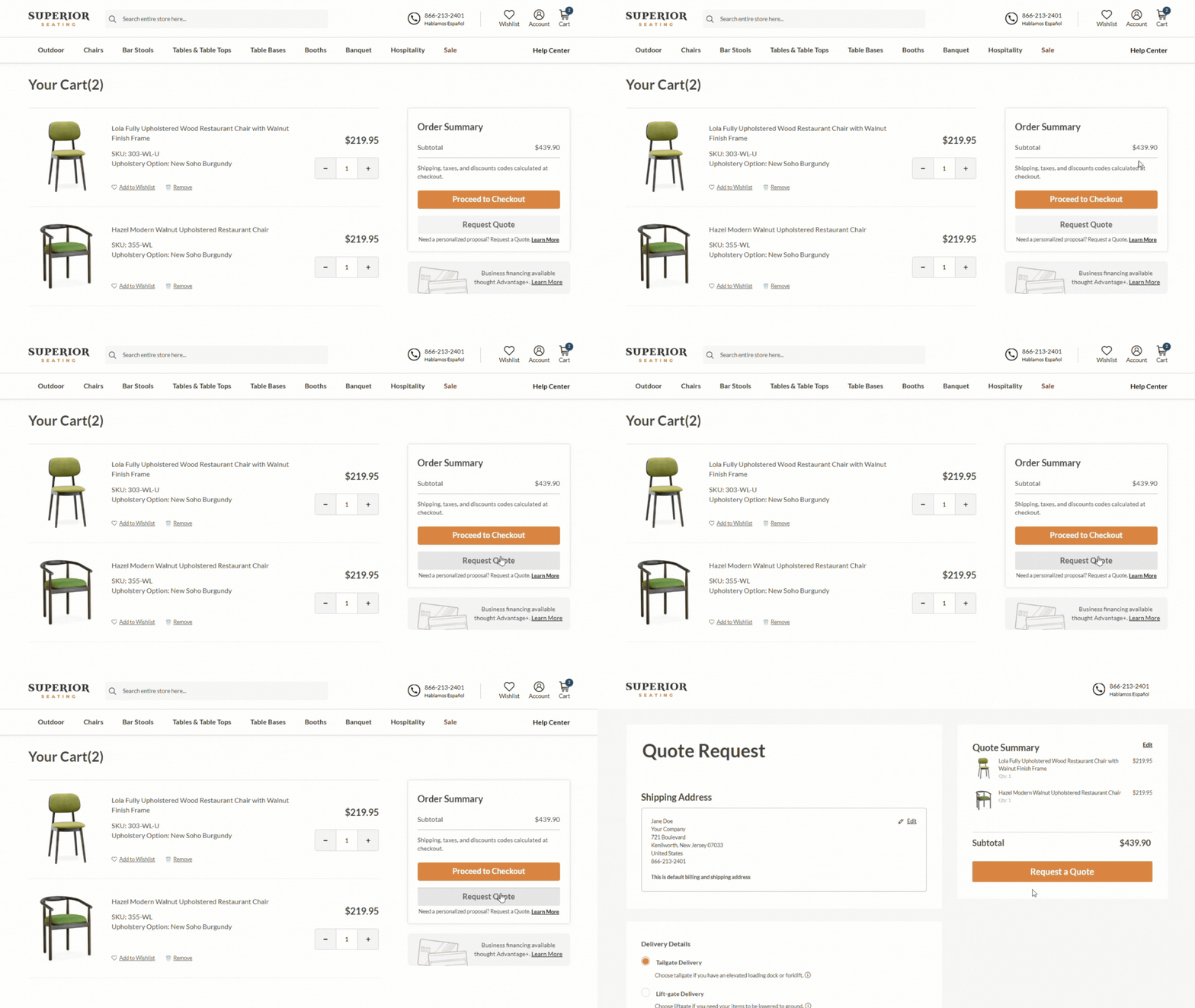
Requesting a quote on Superior Seating works a lot like placing a regular online order. Instead of checking out immediately, you submit your cart for review so our team can prepare a personalized quote for you.
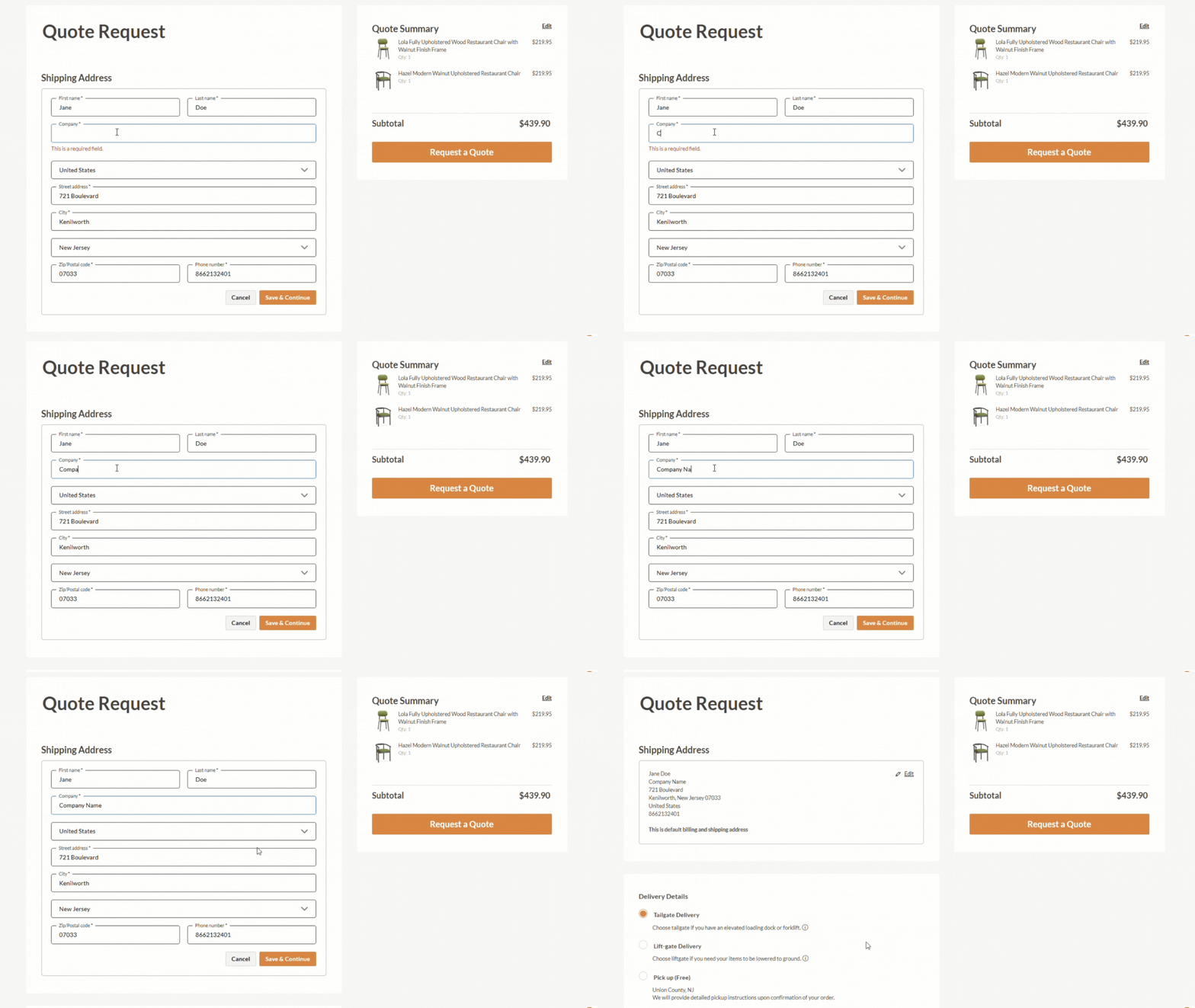
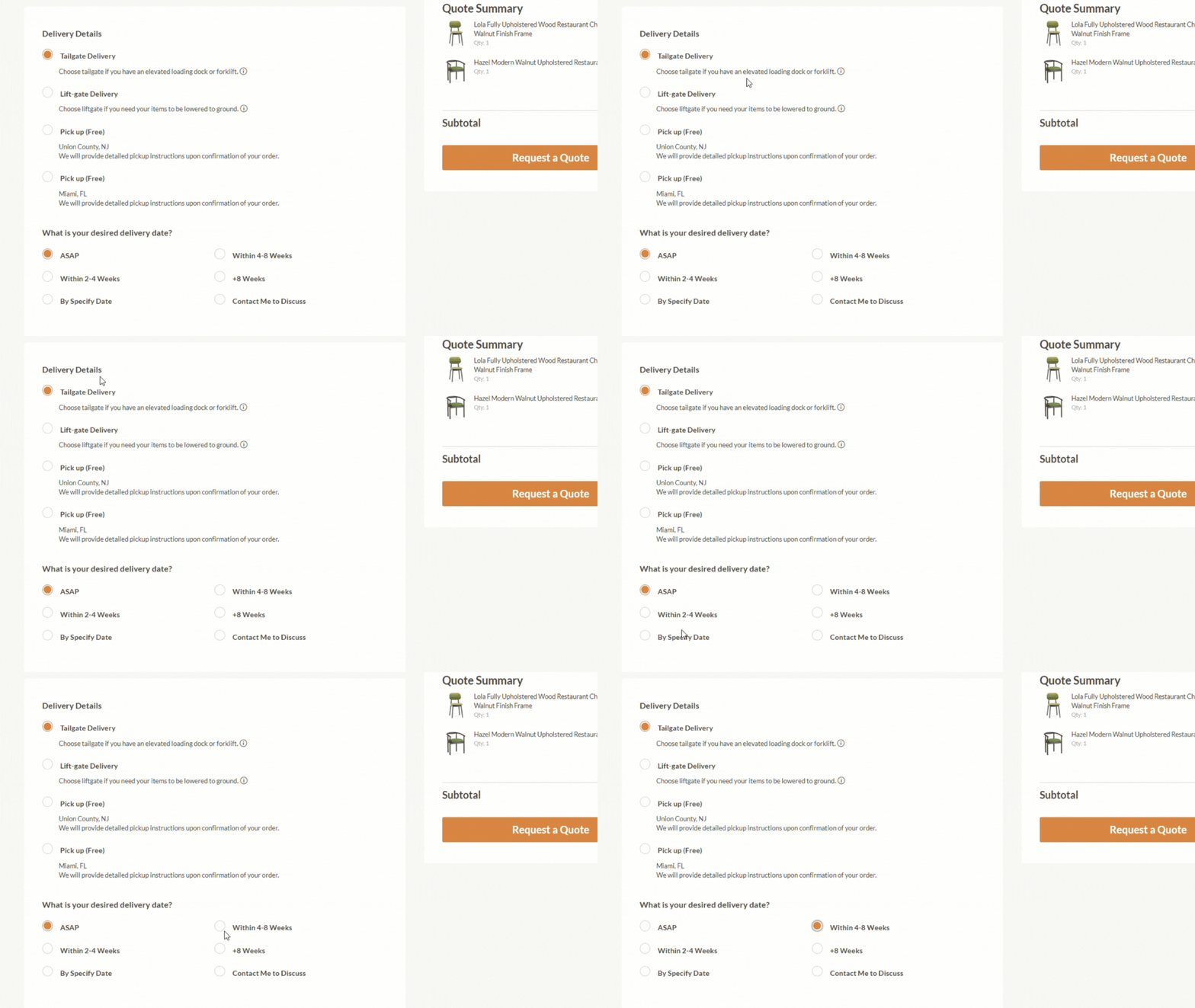
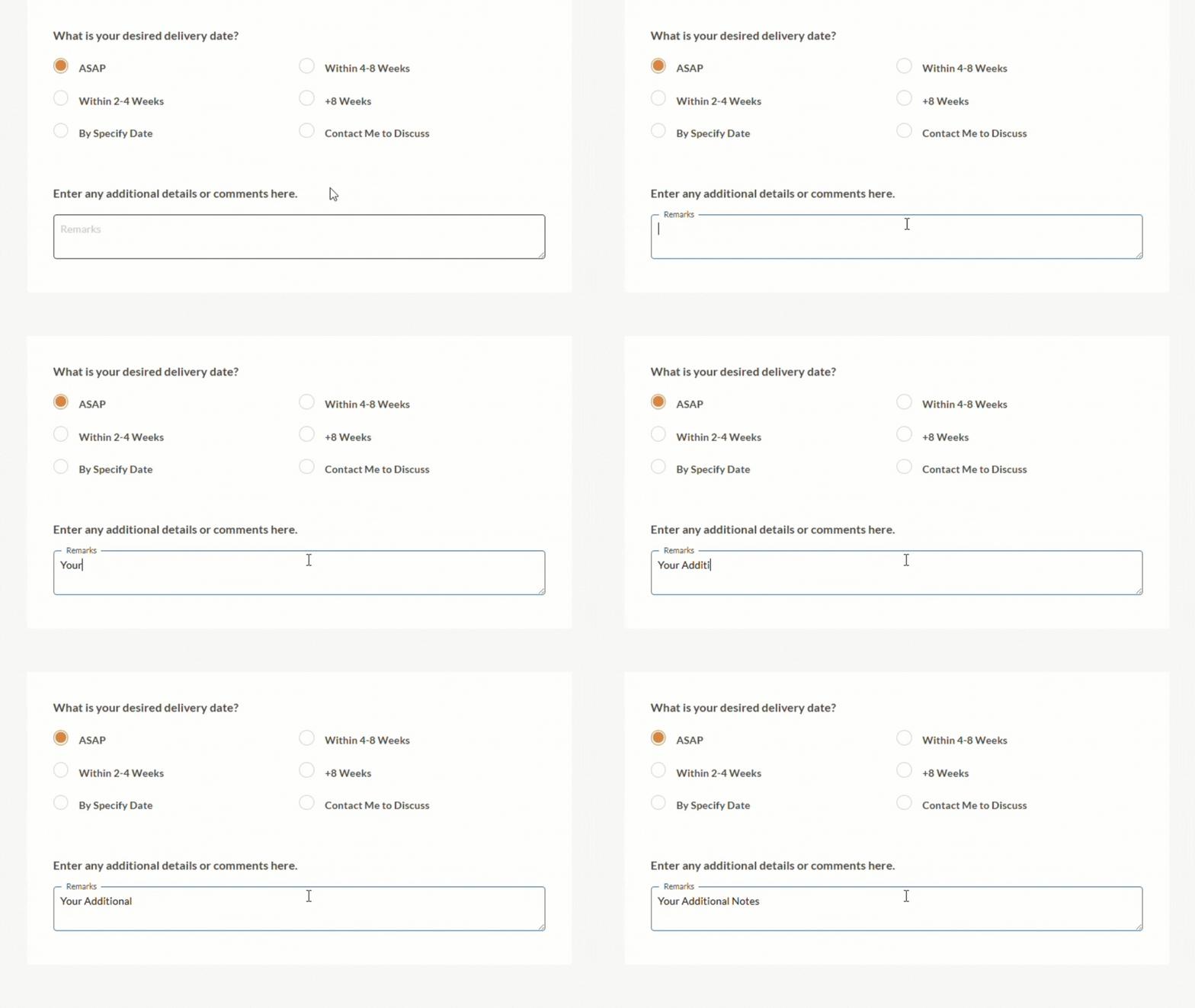
Watch: How to Request a Quote
The quote request process is simple, but seeing it step by step can make it even easier. Use the video below to guide customers through the process visually.
What Happens After You Submit Your Quote Request?
After your quote request is submitted, it is reviewed by a dedicated Superior Seating sales representative. Our team checks the products in your cart, your shipping details, your requested delivery method, and any notes you added.
A sales representative will reach out within 24 hours to review the details with you and make sure everything is accurate before the quote is finalized.
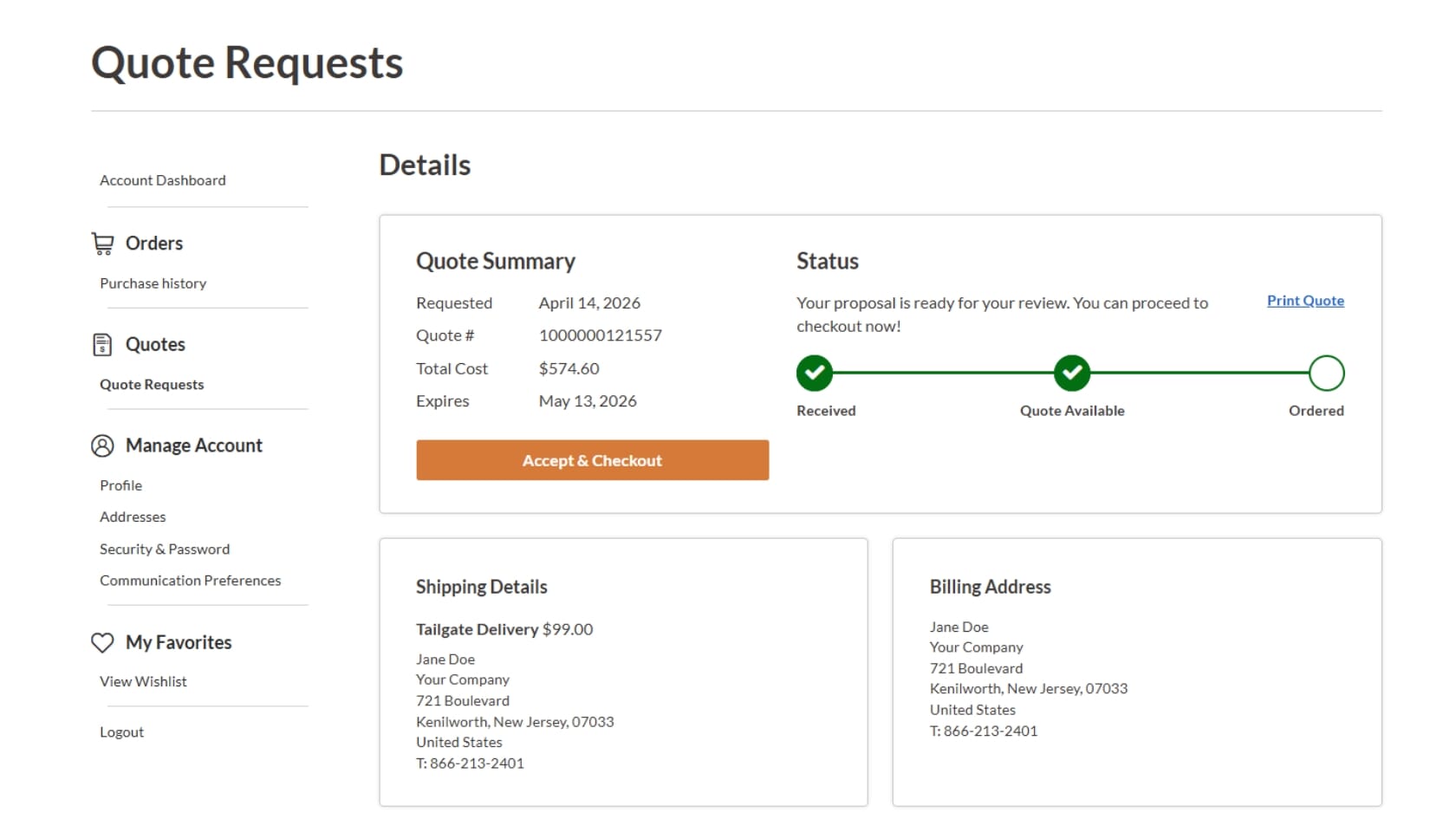
Once your quote is ready, you will receive it by email. You will also be able to access it through your customer dashboard, so you can review it again whenever you need to.
How to Accept Your Quote
When you are ready to move forward, accepting your quote is simple. You can click “Accept and Checkout” directly from your customer dashboard or use the link provided in your quote email.
From there, you can complete your order and move ahead with your project confidently, knowing that the pricing, shipping details, and order information have already been reviewed.
Need Help Requesting a Quote?
We’re here to help make the process easy. If you have questions before submitting your quote request, or if you need help choosing products for your project, you can contact our team by phone or through the website chat.
Our sales representatives can help you review product options, understand delivery details, and make sure your quote request includes everything needed for your restaurant, bar, hotel, café, or commercial space.